Decimal Places(Of Monetary Numbers)
This option allows you to set the number of decimal places to display in monetary numbers (where possible).
All values entered in numeric fields are stored in the database with up to 4 decimal places. You may not want to display all four decimal places on your lists and reports, so you can designate the number of decimal places, from 1 to 4, that will display. The default number is 2.
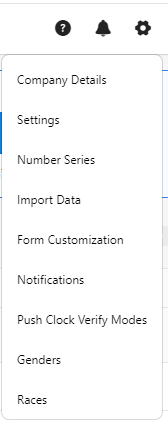
- Click on the gear “
 ” icon on the top right corner of the application.
- Click Settings.
- Click on PreciseTime.
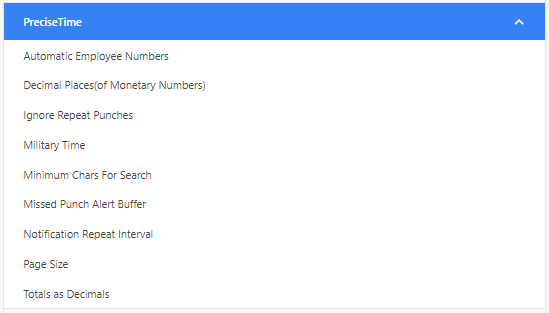
- Enter the number of decimal places to display in monetary numbers.

- Click Save.
- Example - To verify, consider that the decimal places (of monetary numbers) is set to 4. Access the new or edit employee screen and click on the pay tab. Enter a rate. If you try to enter a rate that has five digits after a decimal, then it will default to four digits and if there is no digit after the decimal, then it will show 0 up to 4 decimals.

